Projects / Node.js & React
Portfolio Back Office: Custom CMS and SEO Command Center
A custom-built back office combining content management and real-time SEO tracking: SEO score, Search Console data, indexation inspection, competitor monitoring and internal linking, all in one interface.
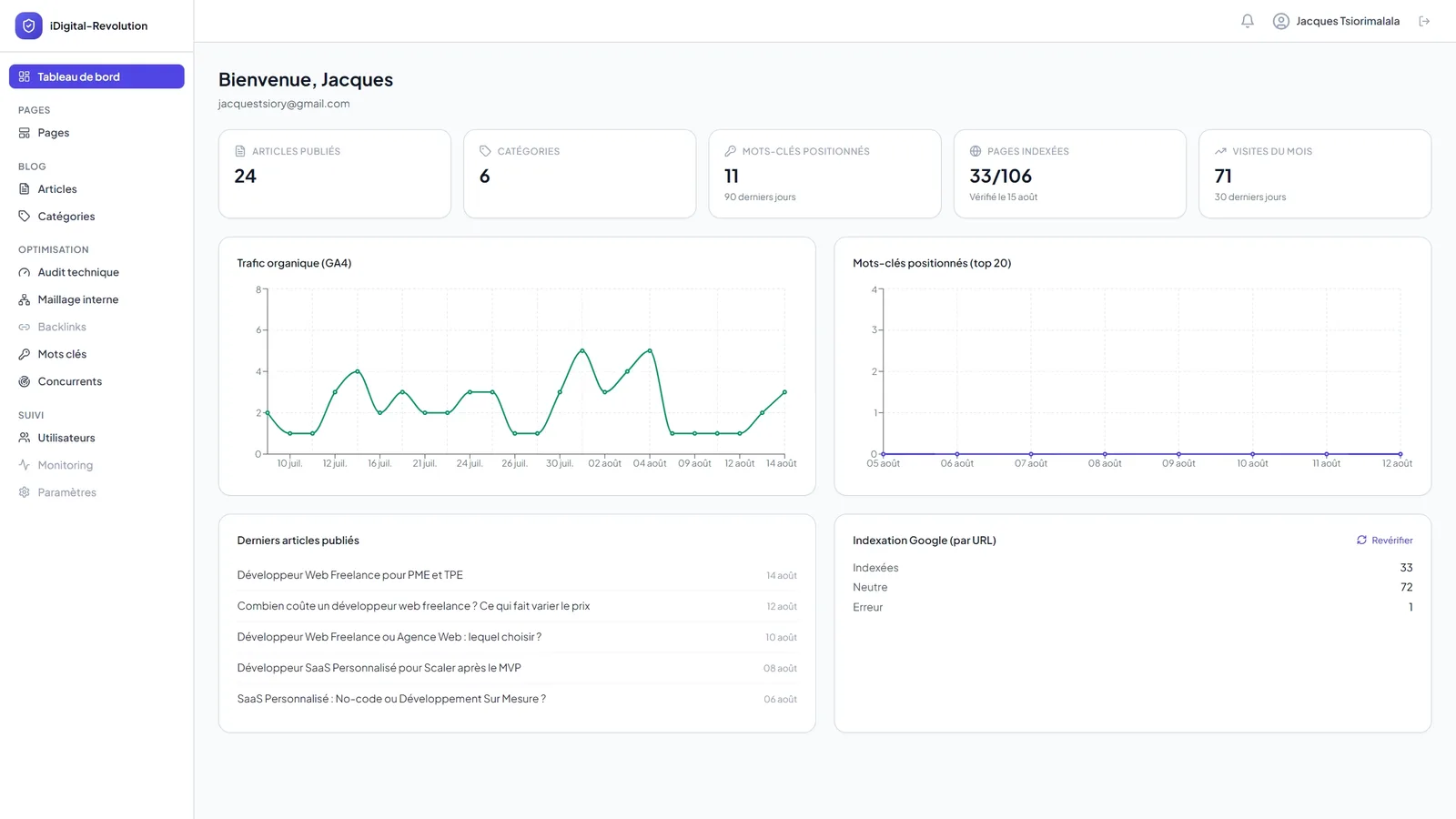
Custom CMS and SEO Command Center
Personal portfolio · Case study · Fullstack web development · Node.js · React · MySQL · Google Search Console API
Building the tool instead of settling for one
For my own portfolio, I needed a back office capable of managing content (articles, case studies, static pages) while also tracking SEO performance day to day: Google rankings, indexed pages, an SEO score for every piece of content, competition on my target keywords. No CMS on the market combines these two functions in a single interface without stacking plugins and third-party subscriptions.
So I built a custom back office, designed as a real SEO product rather than a simple content editor. It's also the best possible showcase for my work: the portfolio that presents my skills is itself built with the same tools I offer my clients.
Why not use an existing CMS?
WordPress or a headless CMS off the shelf would have let me publish content quickly, but none of them natively meets the specific needs of a portfolio designed to demonstrate technical SEO expertise:
- A continuously computed SEO score for every article and page, with a breakdown of every point lost (title, meta description, heading structure, target keyword density, internal linking, structured data) instead of a generic traffic light.
- Native tracking of Google Search Console rankings, without going through a third-party plugin with its own quota or data-retention limits.
- Per-URL indexation inspection, to know precisely which pages Google has actually crawled and indexed, not just what the sitemap declares.
- Automated competitor monitoring on my target keywords, to compare my position against the top organic result from a competing domain.
- An internal-linking engine that analyzes the actual links between articles, categories and pages, rather than a plain list of URLs to insert manually.
- Multi-user role management (admin, author), so I can one day open up writing to other contributors without giving them full access.
A custom back office made it possible to code these needs directly into the product, instead of approximating them with plugins that don't talk to each other.
The features: a CMS augmented with real SEO tracking
The back office is organized into independent modules, each covering a specific operational need identified while working on the portfolio itself.
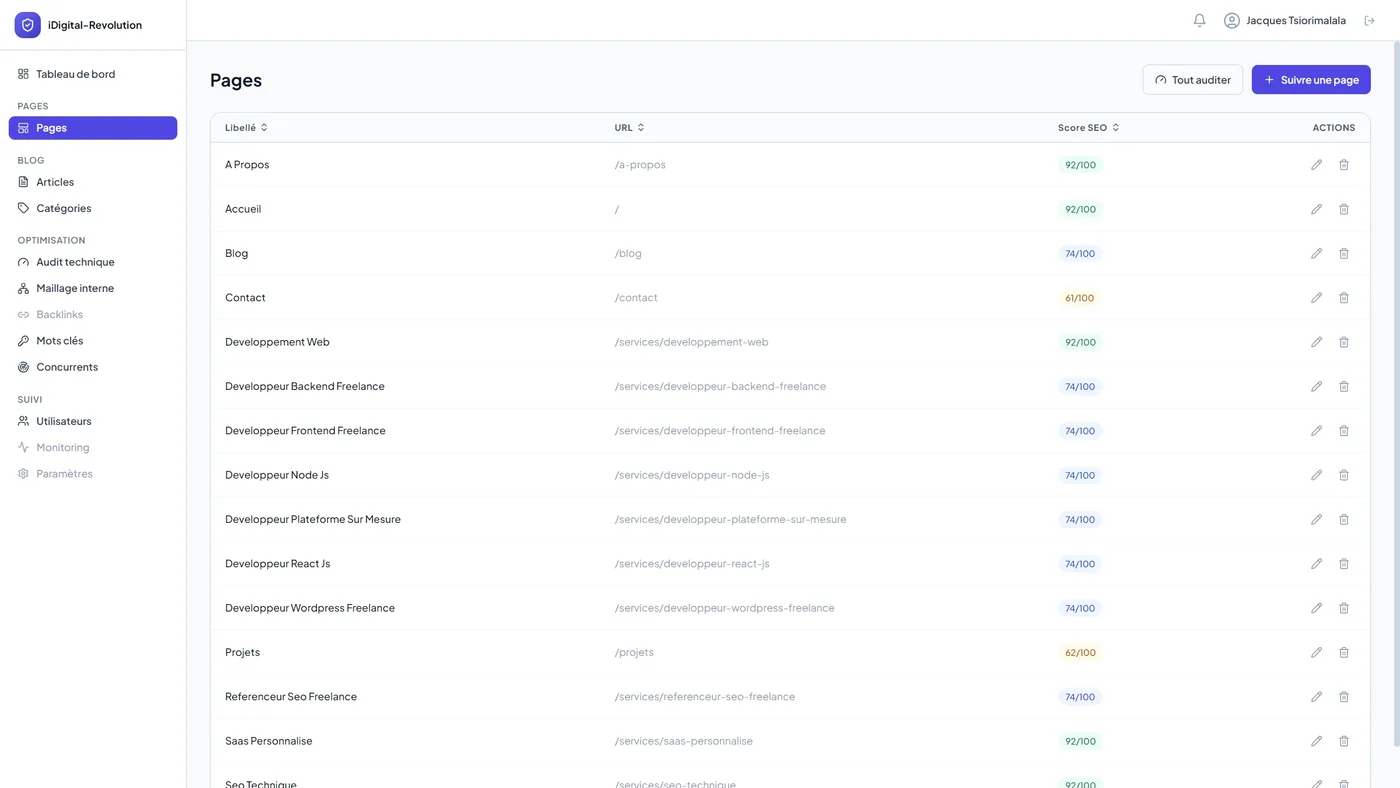
Content management (articles, categories, pages)
Blog articles and case studies share the same content engine, with a target-keyword field, dedicated meta fields, a structured FAQ block and a rich text editor. Static pages (home, contact, about) are managed separately with their own SEO fields and Open Graph image.
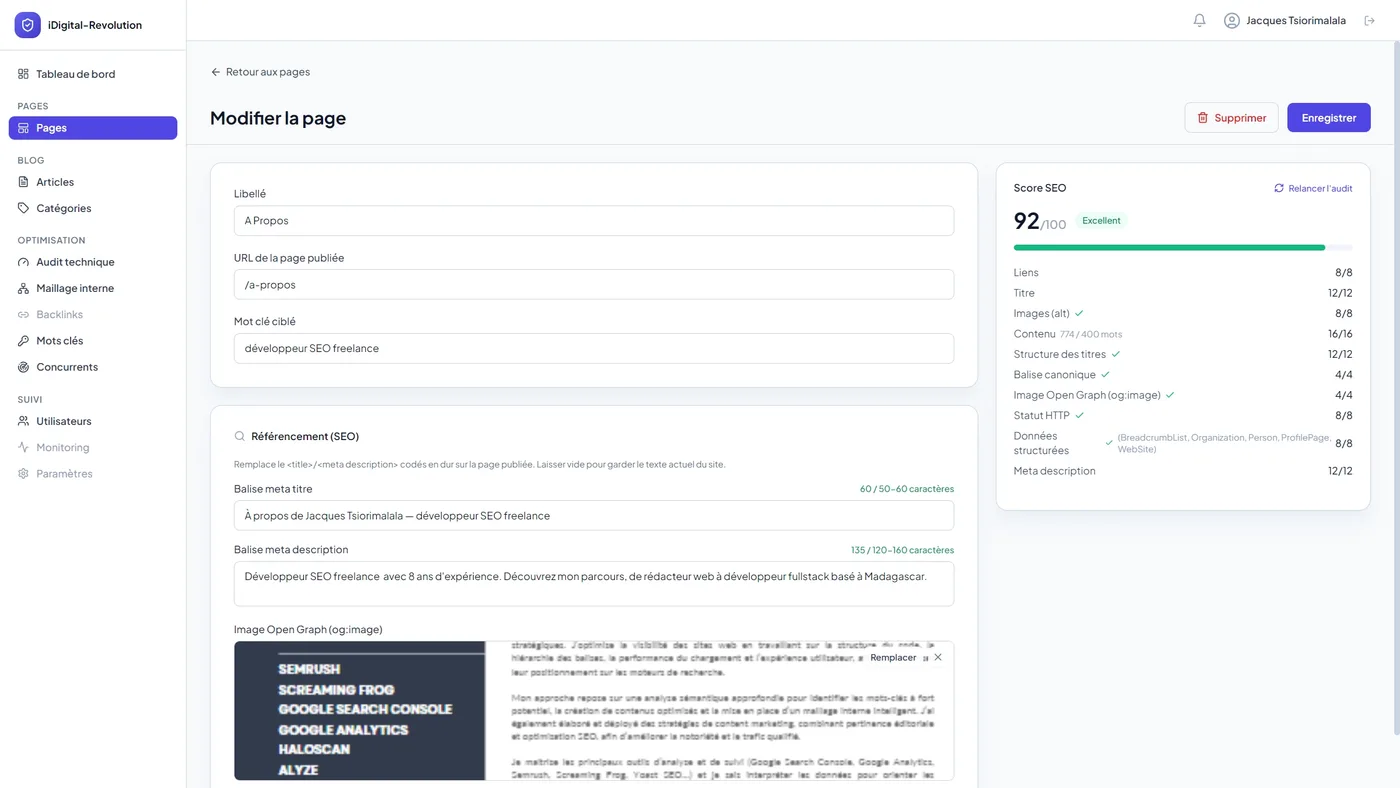
Real-time SEO score
Every piece of content displays a score calculated on weighted criteria: keyword length and presence in the title and meta title, meta description quality, heading structure, content length and readability, presence of a featured image, internal linking, structured data. Every point lost comes with an actionable explanation, not just a raw grade.
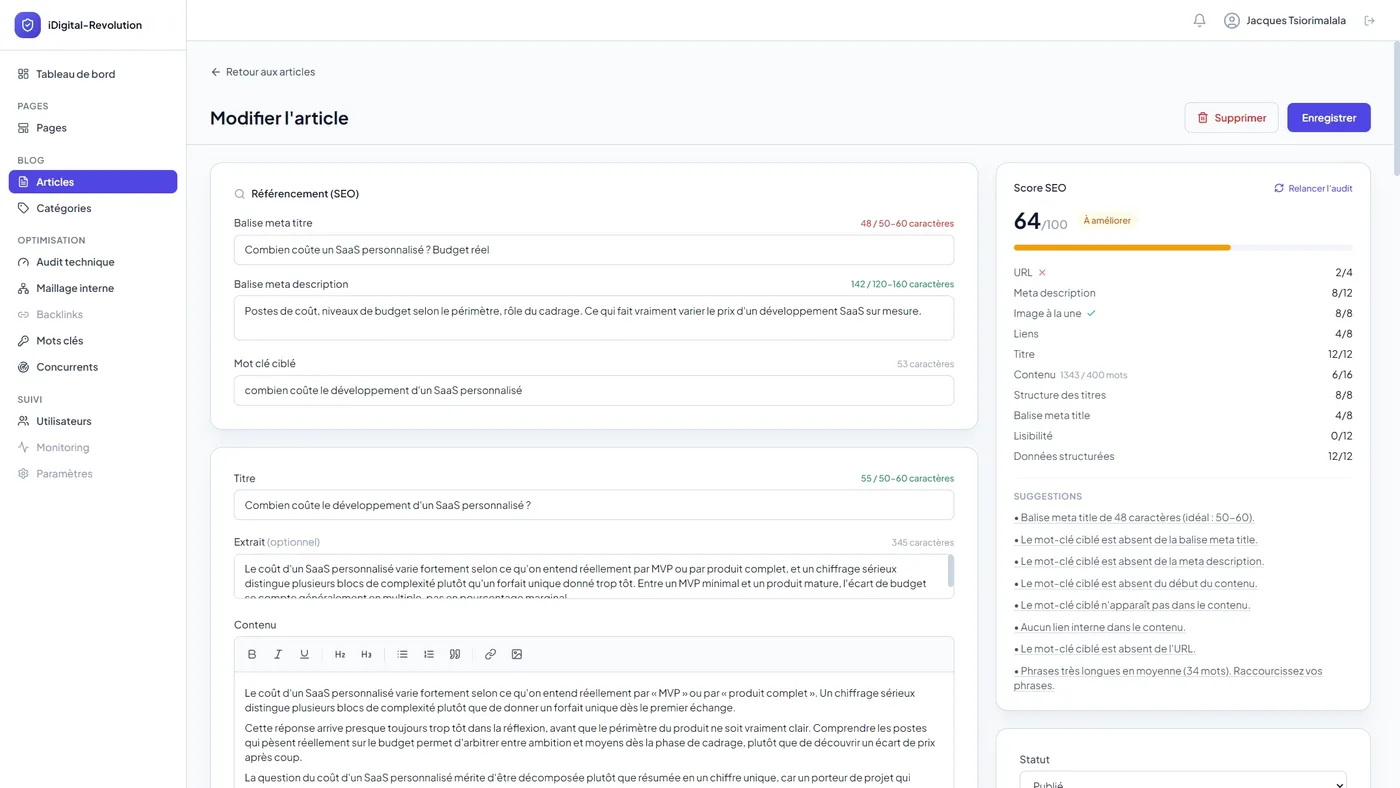
Live page audit
A separate module scrapes the live published page (HTTP status, tags, images, canonical, Open Graph) and applies the same scoring grid used for content stored in the database. This makes it possible to verify that what's actually live matches what was entered in the back office, and to catch deployment gaps.
Search Console and indexation
Rankings, clicks and impressions are synced directly from the Search Console API and stored in a database to keep a full history, beyond the sixteen months Google retains. A second module queries the URL Inspection API to get the real indexation verdict for every tracked page, with caching to respect API quotas.
Competitor monitoring
For every tracked keyword, a sync via the Serper API identifies the top organic result belonging to a competing domain and compares it to my own position pulled from Search Console, to visualize the gap keyword by keyword.
Internal linking
A scanner builds the link graph between articles, products, categories and pages from actual content, to spot orphaned or under-linked content before it hurts the site's search performance.
Structured data
The back office automatically generates the JSON-LD (Person, Organization, Article, FAQPage) injected into the public site, from the same data entered for the content, with no double entry and no risk of mismatch between the markup and the displayed text.
Users and security
Authentication relies on server-side sessions, with role management (admin, author), email invitations with a temporary token, and password reset. Enough to open up writing to other contributors when the time comes, without revisiting the architecture.
The process: building the tool around the site's real needs
The back office wasn't designed as a single block before the public site was written. It grew module by module, each time a concrete need appeared while working on the portfolio's own content and SEO.
1. CMS foundation
The first building blocks covered the essentials of a classic CMS: authentication, articles, categories, static pages, image uploads. The goal was to be able to publish content quickly and launch a first version of the site.
2. Native SEO scoring
The scoring engine was added as soon as the question came up of whether an article was ready to publish. Rather than running an external audit for every piece of content, the scoring grid (title, meta, structure, content, images, links, structured data) was coded directly into the back office, using the same thresholds applied in client audits.
3. Connecting to real Google data
Once the site was live, the priority shifted to ranking and indexation tracking, via a Google service account connected to the Search Console API. Data is pulled and stored in a database rather than queried on the fly, to keep a history and avoid depending on API quotas every time the dashboard loads.
4. Competition and linking
The competitor monitoring and internal-linking modules came last, once the volume of content was large enough for these analyses to make sense. The linking scanner reuses the same scraper as the live page audit, to avoid two separate implementations of the same need.
The tech stack
The back office is deliberately separated from the public site: a Node.js API exposes the data, a React interface consumes that API for admin use, and a static Astro site serves the public pages. Each piece can evolve without touching the other two.
Backend
- Node.js and Express for a REST API organized into business routes (articles, pages, keywords, competitors, internal linking, site audit, users)
- MySQL with Knex.js as query builder and a versioned migration system
- Google Search Console API (googleapis) for rankings and indexation inspection
- Serper API for competitor monitoring on Google SERPs
- Server-side sessions for authentication, with role management and email invitations
Admin frontend
- React with Vite for the admin interface
- Tailwind CSS for a clean interface that's fast to evolve
- Rich text editor for writing articles
Public frontend
- Astro in static generation mode, for maximum performance and search visibility
- JSON-LD structured data generated on the back-office side and injected at build time
Infrastructure
- Docker containerization for the API and the admin app
- VPS with Nginx and an SSL certificate via Let's Encrypt
- Dedicated scripts for periodically syncing Search Console and competitor data
The result: a CMS that thinks in terms of search performance, not just publishing
This back office answers a need generic CMSs don't natively cover: directly connecting content creation to its actual performance on Google, in a single interface, without juggling a CMS, an SEO plugin and an Excel sheet for ranking tracking.
Every published article displays its SEO score, its position on its target keyword, its indexation status and its linking level, all kept up to date without manual intervention. It's also the concrete, day-to-day demonstration of the skills presented throughout the rest of the portfolio.
Why not just use WordPress with an SEO plugin?
No off-the-shelf CMS natively combines a continuously computed SEO score with a breakdown of every point lost, native Search Console tracking, per-URL indexation inspection, automated competitor monitoring and an internal-linking engine, without stacking plugins and third-party subscriptions that don't talk to each other.
How is the SEO score calculated?
On weighted criteria: keyword length and presence in the title and meta title, meta description quality, heading structure, content length and readability, presence of a featured image, internal linking, structured data. Every point lost comes with an actionable explanation, not just a raw grade.
Where do the ranking and indexation data shown in the tool come from?
Directly from the Google Search Console API: positions, clicks and impressions are synced and stored in a database to keep a history beyond the sixteen months Google retains, and a second module queries the URL Inspection API to get the real indexation verdict for every tracked page.
More projects
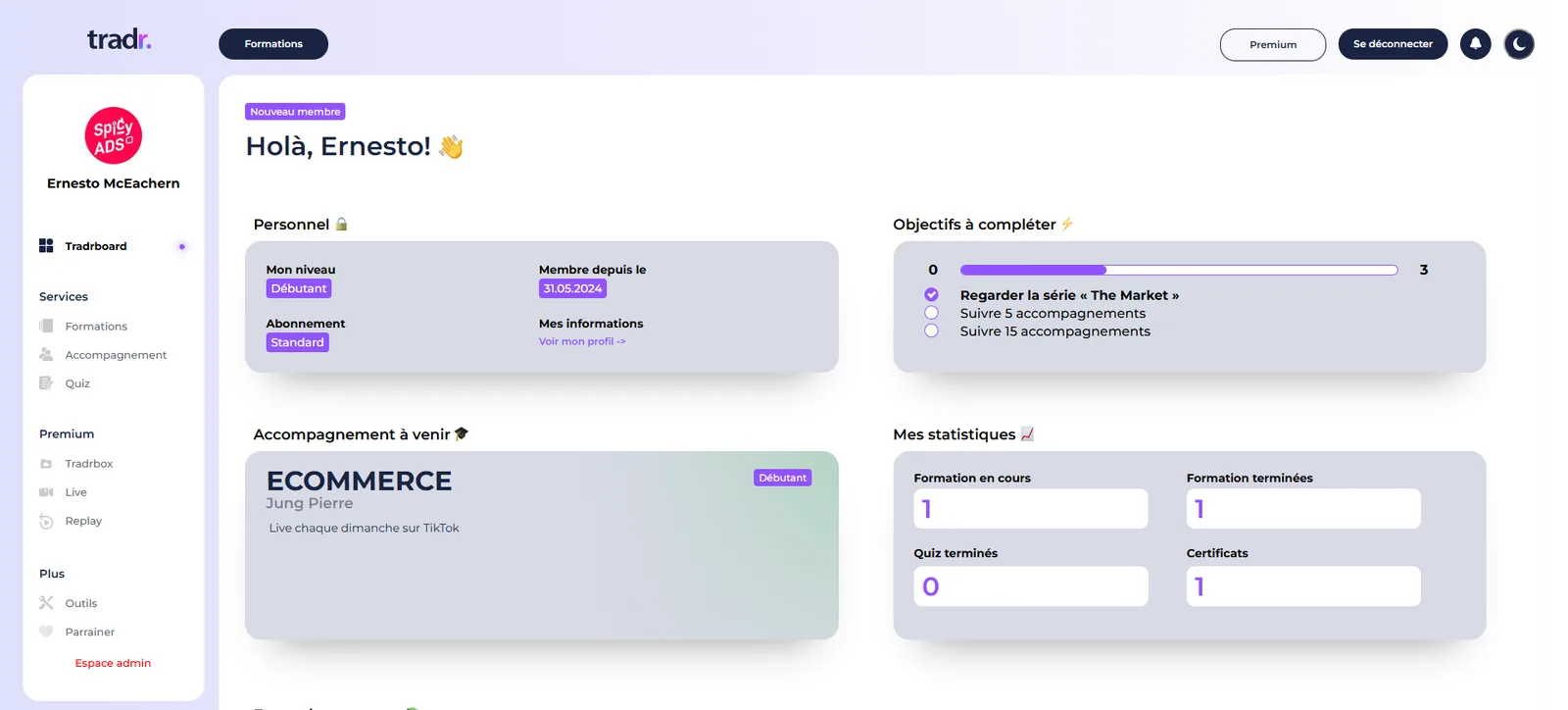
Tradr: Online Training SaaS, for Trainers and Participants
A multi-organization SaaS platform for online training management, bringing together a trainer space, a participant space, live coaching, quizzes and progress tracking in a single tool.
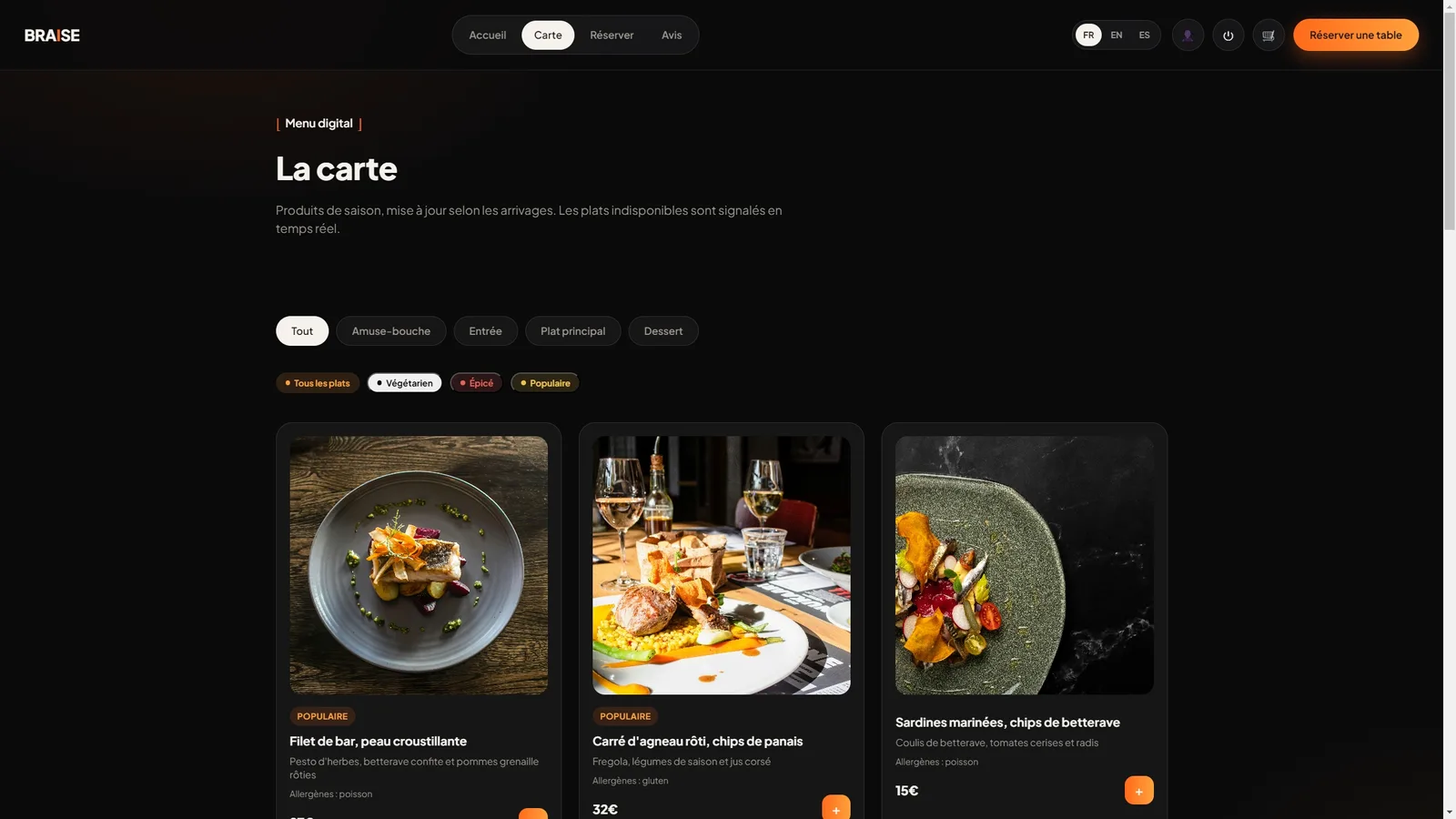
Braise: Booking and Management Platform for Restaurants
A fullstack online booking platform with floor plan management, dynamic digital menu and online ordering for restaurants, built around four roles: customer, server, kitchen and management.