Projects / WooCommerce & PHP
Light Genius: Custom Neon Sign Configurator
A custom WordPress plugin natively integrated with WooCommerce: personalized neon sign design, live rendering on a wall mockup, and dynamic pricing, with no manual quote needed.
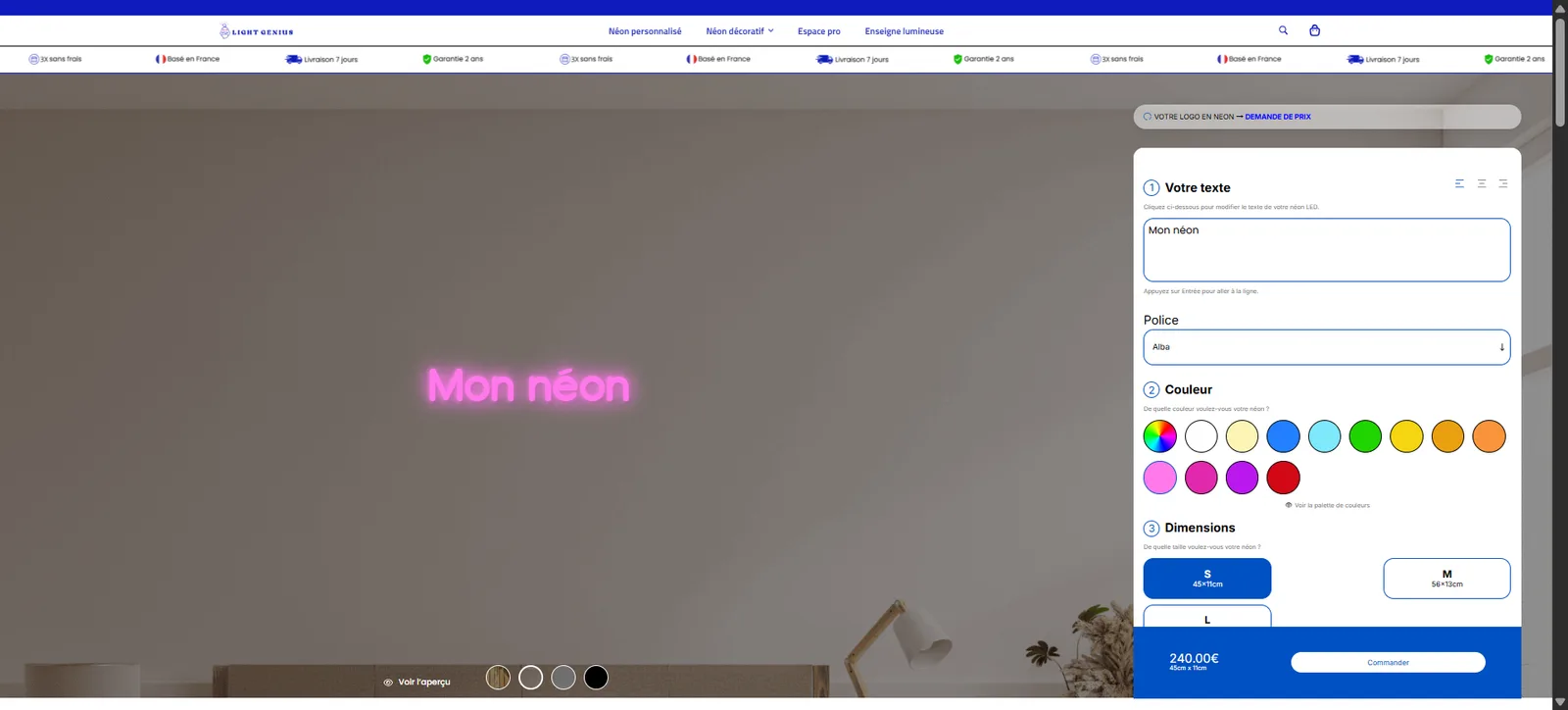
Custom Neon Sign Configurator
Case study · Fullstack web development · PHP · WooCommerce · JavaScript
Selling custom products without a manual quote
Light Genius designs and manufactures LED neon signs, a large share of them custom-made: personalized text, shape, color and dimensions tailored to each project. This kind of product doesn't fit well into a standard WooCommerce listing with a handful of predefined variants. Before this project, designing a custom neon sign meant a manual back-and-forth with the sales team to scope each request and estimate its price, a friction point for online conversion and a repetitive workload for the team.
This engagement involved building a custom WordPress plugin: an interactive product configurator, natively integrated with WooCommerce, letting every visitor design their own neon sign, see a live rendering, and know the exact price, with no human involvement before checkout.
The client's needs: making custom products self-service
Scoping surfaced precise requirements, at the intersection of commerce, product design and manufacturing constraints:
- Live composition: customers must be able to choose their text, font, dimensions, indoor or outdoor version, plus the shape and color of the acrylic backing, without leaving the product page.
- A credible rendering before purchase: seeing exactly what the neon sign will look like, positioned on a wall, to remove the doubt that holds back purchases of such a personal item.
- A price that tracks the configuration: every option chosen must immediately reflect on the displayed price, and that price must match exactly what's charged at checkout.
- Staying within the WooCommerce ecosystem: the configurator wasn't meant to create a parallel order system, but to drive the options and price of the existing WooCommerce product.
- A safety net for genuinely bespoke requests: logos, fully custom designs or off-spec projects needed to be able to switch to a quote form, without blocking the visitor or forcing a configuration that doesn't fit their need.
The challenge wasn't just building a simple options form, but a real product-composition tool that stays true to the actual manufacturing constraints of a neon sign (available lengths, font legibility once shaped into a lit tube, feasible backing shapes).
The features: a product configurator natively integrated with WooCommerce
The plugin adds a full configuration page to the buying experience, while relying on the existing WooCommerce order engine rather than duplicating it.
Guided neon sign composition
The customer enters their custom text, chooses a font from twenty typefaces selected to stay legible once shaped into a neon tube, sets the dimensions, picks an indoor or outdoor version, then selects the shape and color of the acrylic backing. The flow moves through clear steps up to adding the item to the cart.
Dynamic preview
The rendering of the composed neon sign displays live on a wall mockup, and can be dragged with the mouse to picture it in one's own space. Every option change (text, font, color, shape) immediately updates the preview, with no page reload.
Real-time pricing
The displayed price recalculates with every configuration choice and matches exactly the price applied when adding to cart and at checkout: the calculation logic is wired directly into WooCommerce's own pricing and product-data mechanisms, with no separate pricing table to maintain in parallel.
Quote form for complex custom requests
For requests that fall outside the configurator's scope, a logo to reproduce, a fully custom design, a dedicated quote form takes over and routes the request to manual handling by the team, so the visitor never gets stuck in front of a configurator that doesn't fit their need.
The process: working with manufacturing constraints before coding the interface
A product configurator only has value if it exclusively offers combinations that can genuinely be manufactured. Development therefore started with the business side, before the screen.
1. Scoping the options and manufacturing constraints
Before writing the interface, it was necessary to map out the genuinely possible combinations with the Light Genius team: fonts that stay legible once bent into neon, available dimensions, acrylic backing shapes feasible in the workshop. That list directly defined the options exposed in the configurator, so a customer could never design a neon sign impossible to produce.
2. Building the front-end configurator
The step-by-step composition interface and the draggable preview were built in JavaScript and CSS, with a rendering that reflects every choice of text, font, shape and color live.
3. WooCommerce integration
On the PHP side, the plugin adds configuration fields to the WooCommerce product and wires the price calculation directly into WooCommerce's pricing and cart hooks, so the chosen configuration is faithfully carried through into the order, the invoice and admin-side tracking.
4. Fallback form and handoff to a manual quote
The quote form was designed as an exit ramp from the configurator rather than a separate module, so a visitor with an off-spec need can switch to human handling without leaving the site or starting their process over from scratch.
The tech stack
The technical choice favored deep WooCommerce integration over a generic configurator bolted on top, so the product configuration stays consistent end to end, from the front end through to billing.
Frontend
- JavaScript for the step-by-step configuration logic and the live rendering updates
- Custom CSS for the neon preview and its draggable positioning on the wall mockup
Backend
- PHP as a custom WordPress plugin, with no dependency on a third-party configurator
- WooCommerce hooks to drive product options, price calculation and cart data based on the chosen configuration
- WooCommerce as the order, payment and tracking engine, kept as the single source of truth on orders
CMS
- WordPress as the foundation, to stay compatible with the rest of the site and its existing admin
The result: custom products sold self-service
The configurator lets Light Genius sell custom products without a manual exchange beforehand for the majority of requests: the customer designs their neon sign, sees the rendering and the exact price, then checks out directly through WooCommerce. Genuinely off-spec projects are automatically routed to the quote form instead of forcing a configuration that doesn't fit them.
This project shows a different side of my work: building a fluid, interactive product-customization interface, deeply integrated into an existing e-commerce ecosystem, away from the SEO or SaaS topics that make up most of my other engagements.
Fullstack developer · interactive product interfaces and WooCommerce integrations
Does the configurator replace WooCommerce or work alongside it?
It works alongside it: the configurator drives the options and price of the existing WooCommerce product rather than creating a parallel order system. Checkout, payment and order tracking remain entirely managed by WooCommerce, which stays the single source of truth.
How does the configurator avoid offering neon signs that can't actually be made?
Before writing the interface, the genuinely possible combinations were mapped out with the Light Genius team: fonts that stay legible once bent into neon, available dimensions, acrylic backing shapes that are actually feasible in the workshop. That list directly defined the options exposed in the configurator, so customers can never design a product that can't be built.
What happens with requests that fall outside the configurator's scope?
A dedicated quote form takes over for logo reproductions or fully custom designs, and routes the request to manual handling by the team, without blocking the visitor in front of a configurator that isn't suited to their need.
More projects
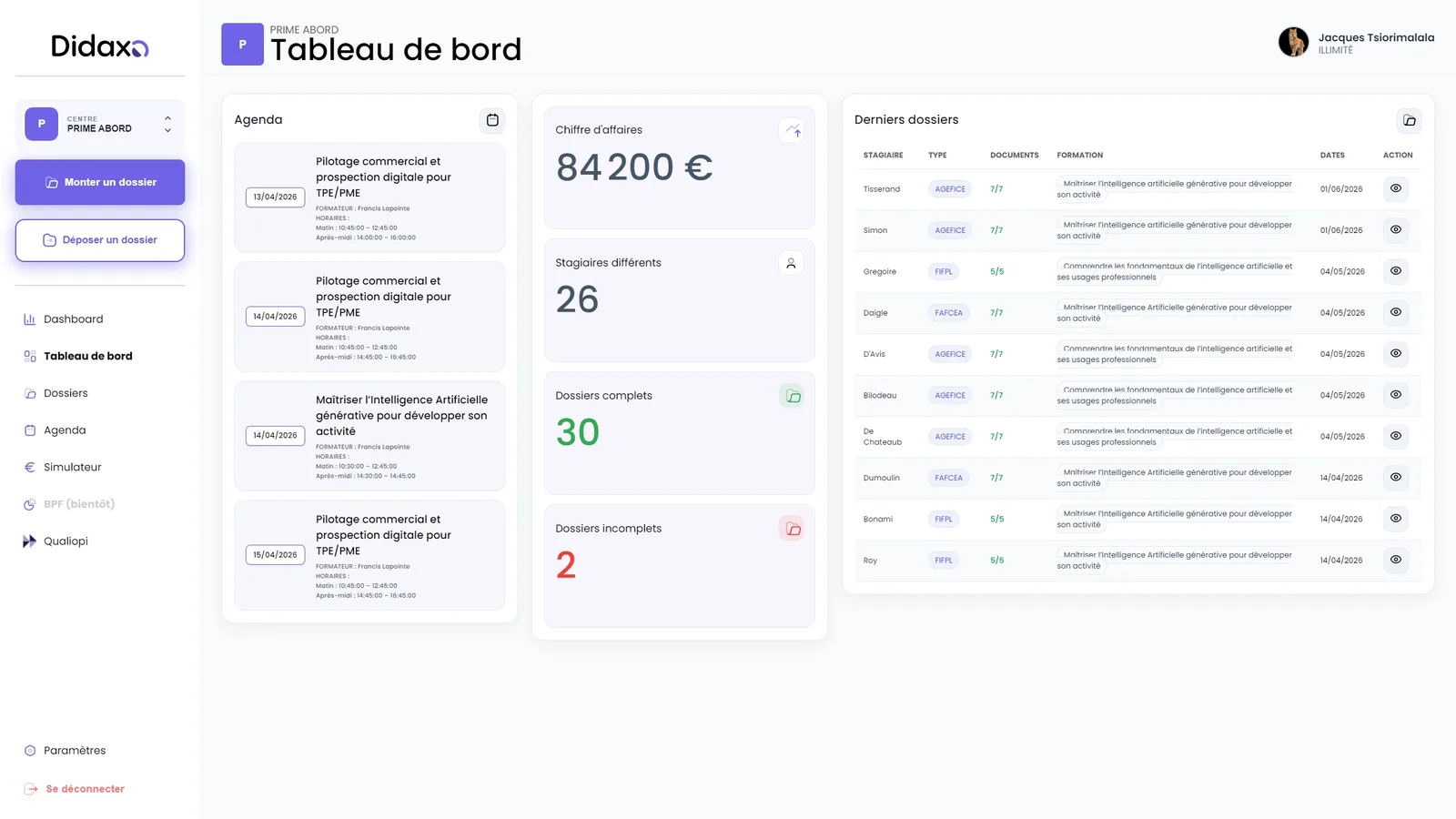
Didaxo: Fullstack Development of a SaaS for Training Providers
A business SaaS for professional training providers: Qualiopi compliance, automated OPCO funding files, the annual BPF report, and Stripe billing, all in a single platform.
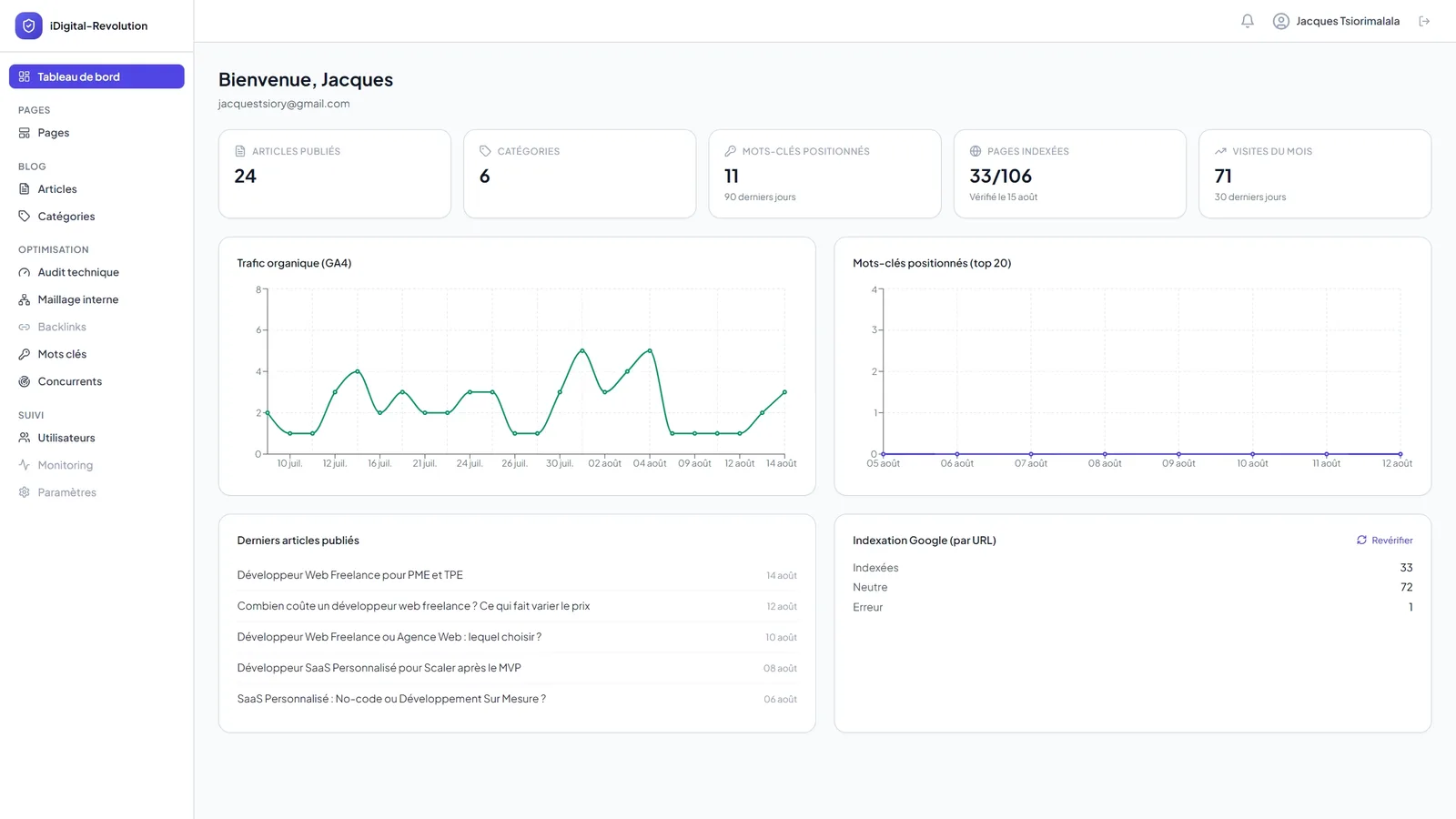
Portfolio Back Office: Custom CMS and SEO Command Center
A custom-built back office combining content management and real-time SEO tracking: SEO score, Search Console data, indexation inspection, competitor monitoring and internal linking, all in one interface.